Shopify Back-in-Stock App: A Practical Checklist
Evaluate a Shopify back-in-stock app for variant waitlists, alert timing, deliverability, demand ranking, consent, exports, and storefront UX.
Merchants searching for shopify back in stock app usually have a live store problem, not a research assignment. This guide turns that problem into a selection and QA workflow, then explains where Klyna Back-in-Stock fits without pretending an app can guarantee the business outcome.
Short answer
A Shopify back-in-stock app should capture interest on the exact sold-out variant, send one useful alert when sellable inventory returns, and show merchants which products have the most waiting demand. The hard parts are variant accuracy, timing, consent, deliverability, and resend protection, not merely adding a Notify me button.
Search demand and platform context
DataForSEO found about 90 US monthly searches for several close variants of “back in stock app for Shopify” and 50 for the exact “Shopify back in stock app.” The volume is modest, but the query carries clear install intent from merchants with an active stockout problem.
Shopify marks tracked inventory at zero or below as out of stock by default. Merchants can choose to oversell, but a waitlist is the safer fit when they want to measure demand without accepting an order they cannot yet fulfill.
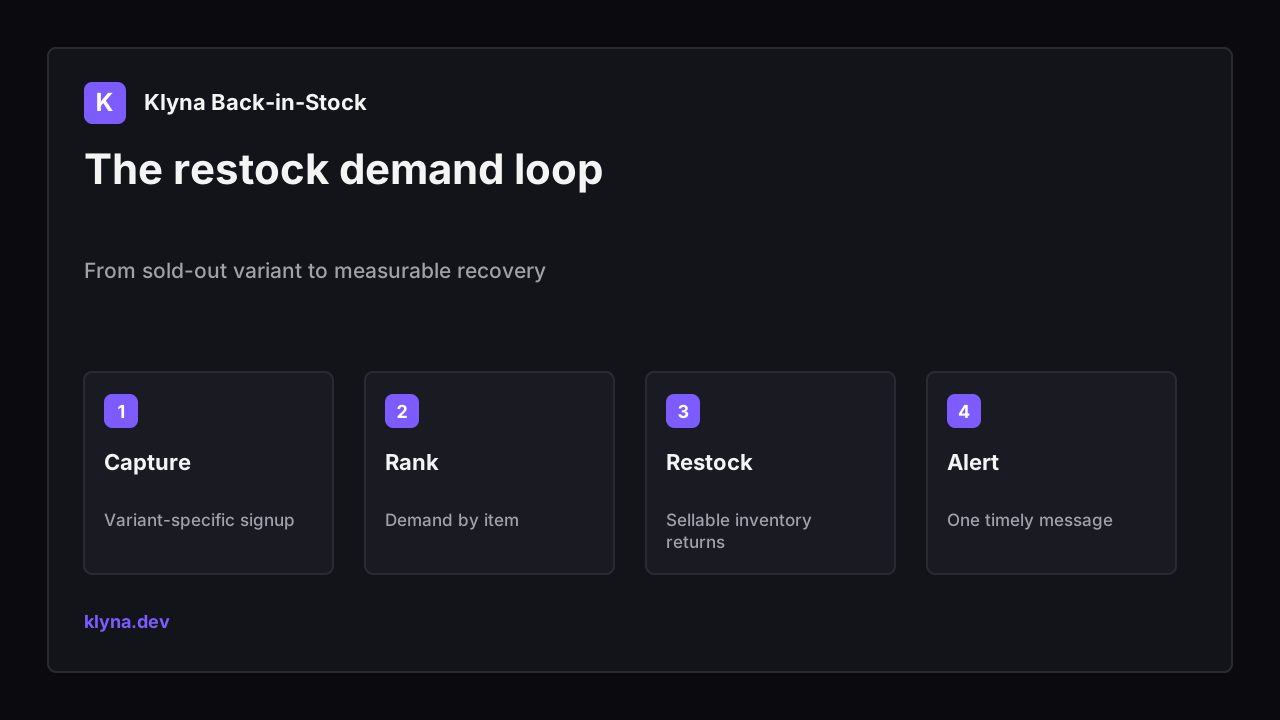
From sold-out variant to measurable recovery
What to check before choosing an app
| Check | What to inspect | Why it matters |
|---|---|---|
| Variant capture | The selected size, color, or pack is stored | A product-level waitlist can alert shoppers about the wrong item. |
| Inventory trigger | Alerts use sellable inventory, not a vague product update | Customers should receive an alert only when they can act. |
| Delivery | Sender setup, retries, suppression, and local timing | Fast alerts are useless if they land in spam or at 3 a.m. |
| Consent | Clear disclosure and appropriate marketing preferences | A transactional restock request should not become hidden marketing consent. |
| Demand report | Waiters grouped by product and variant | Merchants need an actionable restock priority, not just subscriber rows. |

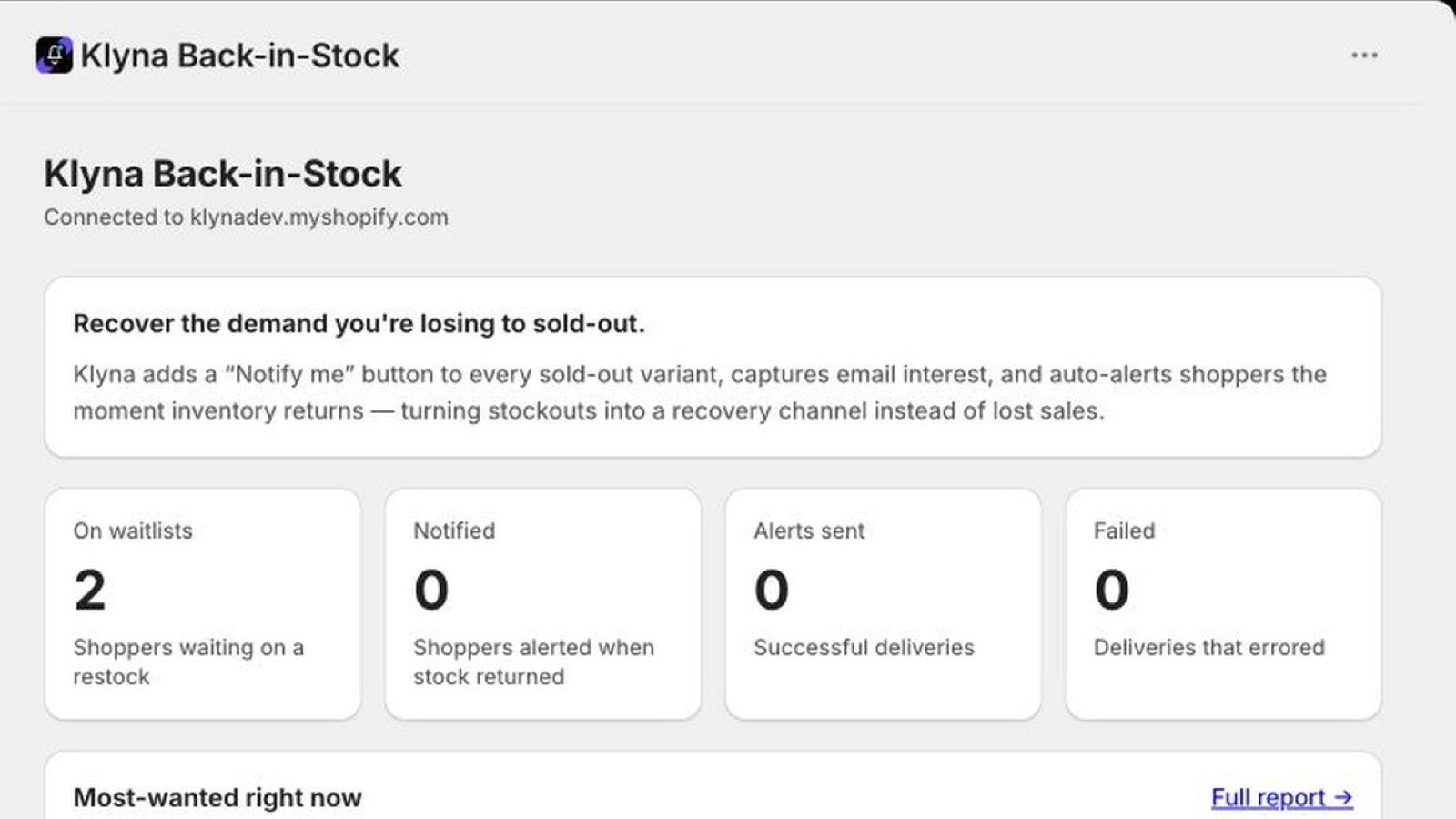
Real Klyna Back-in-Stock interface from the published Shopify App Store listing.
How Klyna Back-in-Stock approaches the job
Klyna Back-in-Stock adds a theme block that appears on sold-out variants, captures waitlist signups, ranks demand, and sends automatic email alerts when inventory returns. Subscriber filtering, CSV export, re-arm controls, resend protection, and local-time delivery help keep restock campaigns organized.
- Show Notify me only when the selected variant is sold out.
- Rank products and variants by waiting demand.
- Send automatic restock emails when inventory returns.
- Filter, re-arm, and export subscriber waitlists.
Klyna Back-in-Stock adds a theme block that appears on sold-out variants, captures waitlist signups, ranks demand, and sends automatic email alerts when inventory returns. Subscriber filtering, CSV export, re-arm controls, resend protection, and local-time delivery help keep restock campaigns organized.
Setup and QA workflow
- Confirm Shopify tracks the inventory for every variant that can collect signups.
- Add the theme block and test switching between available and sold-out variants.
- Submit a test address and verify the stored product, variant, locale, and timestamp.
- Increase inventory on the sellable location and confirm the alert fires once.
- Open the email on mobile, follow the product link, and confirm the variant can be purchased.
- Use demand ranking to inform replenishment, then compare alerts sent with purchases and unsubscribes.
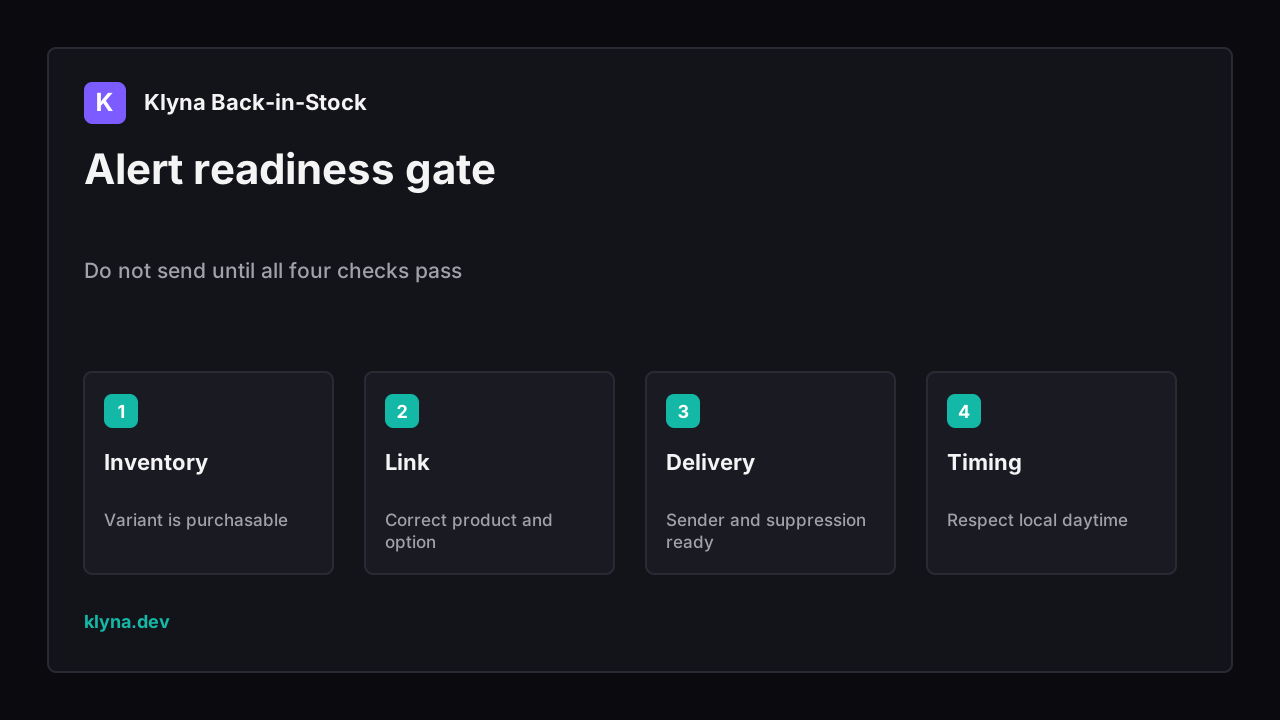
Do not send until all four checks pass
Common mistakes
- Collecting product-level interest when only one variant is sold out.
- Alerting on incoming or unavailable inventory that customers still cannot buy.
- Sending every subscriber at once without delivery or resend controls.
- Treating a restock request as blanket promotional consent.
Where Klyna Back-in-Stock fits - and where it does not
Klyna Back-in-Stock fits stores that want a variant-aware waitlist plus a practical demand report. Shopify’s Shop app can send its own saved-product notifications to signed-in Shop users, but merchants cannot access those saves or customize those notifications; a store-owned waitlist serves a different workflow.
Important limit: A waitlist measures expressed interest, not guaranteed purchases. Use it as one replenishment signal alongside sales velocity, margin, lead time, and supplier constraints.
Related Klyna tools
- Browse the Klyna product catalog to match one app to one store job.
- Audit a Shopify app stack before stacking another storefront tool.
- Check leftover app code after installs, removals, or theme migrations.
- Protect changed URLs during catalog cleanup and launches.
Sources and further reading
- Shopify inventory management - Inventory tracking and low-stock workflow context.
- Shopify out-of-stock behavior - How tracked stock and overselling affect availability.
- Klyna Back-in-Stock on the Shopify App Store - Current features, pricing, permissions, and install path.
FAQ
Should the Notify me form be product-level or variant-level?
Variant-level is usually more useful because shoppers often want a specific size, color, or configuration. Product-level capture can overstate demand and send irrelevant alerts.
When should a restock email send?
When the requested variant has sellable inventory at a location that can fulfill the online order. Add resend protection so one inventory fluctuation does not create repeated alerts.
Does a waitlist predict purchases?
It predicts interest, not conversion. Compare waiters, alerts delivered, product visits, and completed orders before using the count as a buying forecast.
Keep reading
- SEOShopify Alt Text Generator Safe WorkflowUse a Shopify alt text generator safely with product context, image purpose, bulk review, rollback notes, and SEO QA before publishing.
- SEOShopify Review App Migration SEO ChecklistShopify Review App Migration SEO Checklist with DataForSEO intent, Shopify or WordPress technical SEO checks, and a safe Klyna QA workflow.
- SEOShopify Redirect Chain After App UninstallShopify Redirect Chain After App Uninstall with DataForSEO intent, GSC checks, app-safety workflow, and practical Klyna QA steps.